Today I’m releasing Spark for Unity, a Unity package that brings the Spark texture codecs to the Unity engine. It’s available now on GitHub and it’s free for projects with lifetime revenue under $100K.
Unity’s built-in runtime texture compression is CPU-bound, limited in format support, and often too slow for real-time use cases. Spark for Unity brings GPU-native texture compression to Unity, making it practical to compress textures at runtime in real-time.
Texture2D compressed = Spark.EncodeTexture(source, SparkFormat.RGB);That single line takes an existing texture and produces a standard Texture2D in a GPU-native format (BC7 or ASTC depending on the device), ready to assign to a material. It runs entirely on the GPU, at least an order of magnitude faster than Unity’s Texture2D.Compress, and produces higher quality results.
The package works across all Unity render pipelines (URP, HDRP, and Built-in) without modification. It’s been tested on Metal (macOS, iOS), Vulkan (Android, Windows), OpenGL ES 3.1 (Android), and Direct3D (Windows), on Unity versions 6.3 to 6.6.
If you want to see it running, the demo app is available for iOS, Android, macOS, and Windows.
How Spark compares to Texture2D.Compress
Unity ships with a built-in runtime compressor, Texture2D.Compress. This is the natural choice for anyone compressing textures at runtime in Unity. However, the built-in compressor runs on the CPU, and uses a single thread.
Texture compression is intrinsically parallel and therefore maps very well to the GPU. The GPU executes this work much more efficiently, and because it runs off the main thread, it doesn’t block frame execution. On GPUs that support it, Spark can also run on the async compute queue, overlapping with rendering work and reducing the total frame cost further.
Runtime-generated textures make the case even stronger. Source texture data is often generated in the GPU (mipmaps, procedural shaders, render targets, virtual texture tiles) and is always consumed by the GPU. Compressing this data on the CPU would require a read-back and upload which would dramatically reduce performance. Encoding on the GPU is the natural fit for the data flow.
Supported Formats
The compressed formats available through the built-in API are limited. Modern formats like ASTC and BC7 are not supported, and format selection is dictated by the target platform rather than the underlying device.
Texture2D.Compress | Spark | |
|---|---|---|
| R | BC4 / EAC_R | BC4 / EAC_R |
| RG | BC5 / EAC_RG | BC5 / EAC_RG |
| RGB | BC1 / ETC2 | BC7 / ASTC / BC1 / ETC2 |
| RGBA | BC3 / ETC2 | BC7 / ASTC |
Spark supports both high-quality (BC7, ASTC) and low-bitrate (BC1, ETC2) formats for RGB content, letting you choose based on memory and quality requirements. For RGBA, Spark targets BC7 and ASTC exclusively. These formats are widely available, have the same memory footprint as BC3 and ETC2_RGBA, and produce higher quality results.
Note that many iOS and Android devices now support BC formats. The built-in path never targets BC formats on those devices; it defaults to ETC2. Spark, in contrast, selects the best format the device supports.
Performance
Encoding a 1024×1024 texture takes about 1 ms with Spark on a budget Android device like the Galaxy A15, compared to over 10ms with the built-in encoder. On desktop and high-end mobile devices, performance is significantly higher.
The chart below compares performance across desktop, high-end mobile, and budget mobile:
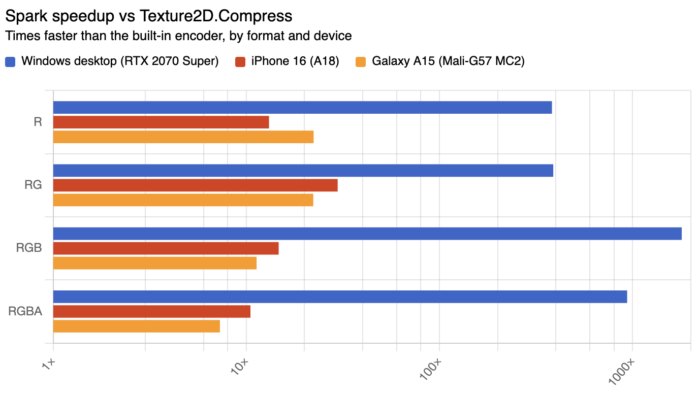
The demo app includes a benchmark that runs the full comparison on your own device.
Quality
Spark and the built-in encoder make different format choices, so a direct comparison isn’t as clean as the throughput chart. Here’s how each performs on the formats they share, measured as RMSE (lower is better) on an 8-bit scale. Note that Spark’s codecs are tuned for perceptual quality, which RMSE captures only partially. The visual examples later in the section are a more representative.
Desktop (BC) formats:
| Format | Texture2D.Compress | Spark | |
|---|---|---|---|
| R | BC4 | 3.96 | 0.55 |
| RG | BC5 | 6.27 | 1.89 |
| RGB – lo | BC1 | 4.91 | 4.41 |
| RGB – hi | BC7 | N/A | 2.16 |
| RGBA | BC3 / BC7 | 3.60 | 2.74 |
Mobile (ETC / ASTC) formats:
| Format | Texture2D.Compress | Spark | |
|---|---|---|---|
| R | EAC_R | 0.69 | 0.78 |
| RG | EAC_RG | 2.12 | 2.49 |
| RGB – lo | ETC2 | 4.57 | 4.58 |
| RGB – hi | ASTC | N/A | 2.32 |
| RGBA | ETC2 / ASTC | 4.29 | 3.19 |
The mobile ETC2 codecs in Unity are competitive with Spark’s, and slightly better on some single- and dual-channel formats. Spark for Unity ships the lower-quality ETC variants by default to maximize throughput on mobile; higher-quality ETC encoders are available in the full Spark codec suite, but the difference rarely makes a perceptual impact at runtime.
The BC story is different. Unity’s built-in BC implementations produce visible artifacts on most content, while Spark’s output is much closer to the original:
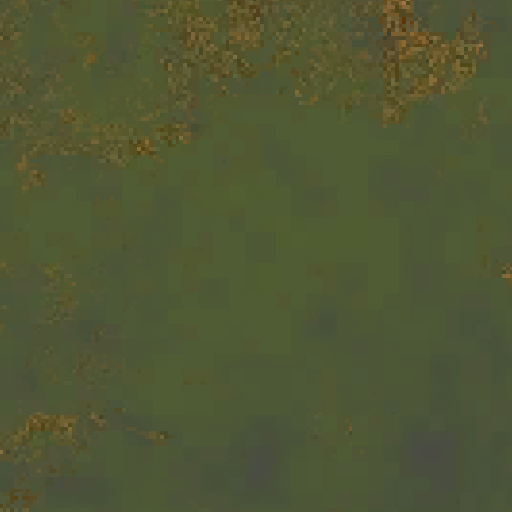
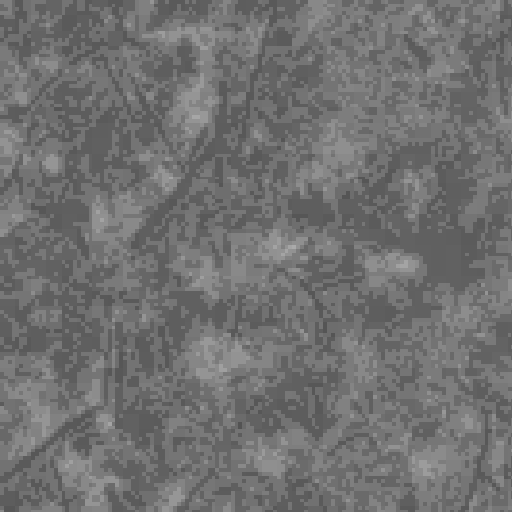
The tables also miss an important advantage. On many modern iOS and Android devices, Spark can target BC formats directly, while Unity’s built-in compressor is restricted to ETC2. In practice this often means both higher quality and faster encoding on the same device.
The Demo
The demo focuses on two scenarios that exercise Spark for Unity in different ways.
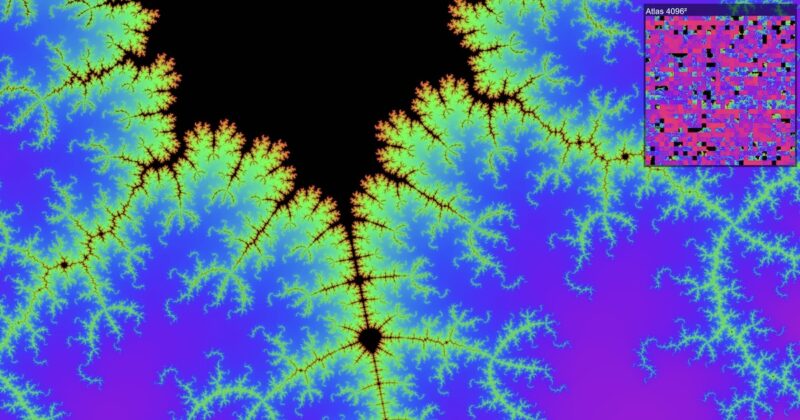
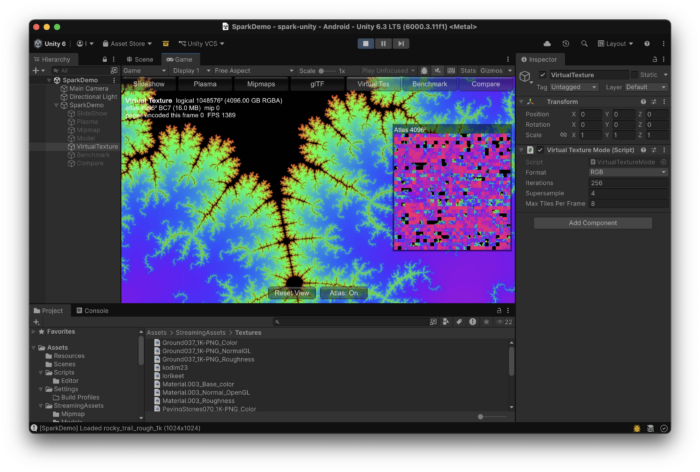
Procedural virtual texturing. A simplified virtual texturing pipeline built around a single 16 MB compressed atlas and an indirection texture. The virtual texture itself is 1,048,576 × 1,048,576, far larger than would fit in memory without virtualization. As the camera moves, the system identifies which tiles are visible, evaluates the Mandelbrot fractal on the GPU to render them, compresses them with Spark, and copies the results into free slots in the atlas. The indirection texture is updated to point each visible region at its newly-compressed tile.
This isn’t a production virtual texturing engine, but the minimum pipeline that exercises the runtime-compression part of the problem. It demonstrates the use case: Spark makes it practical to compress tiles on the same frame they’re generated, without leaving the GPU, and without significant impact to quality or performance.
Runtime texture transcoding. Textures distributed as PNG or JPEG, placed in StreamingAssets so they bypass Unity’s build-time processing and ship as-is. At load time, the demo decodes them and uses Spark to compress them to the appropriate GPU format. The same approach works for glTF assets: the demo loads them with glTFast and provides a custom image loader that compresses textures at load time.
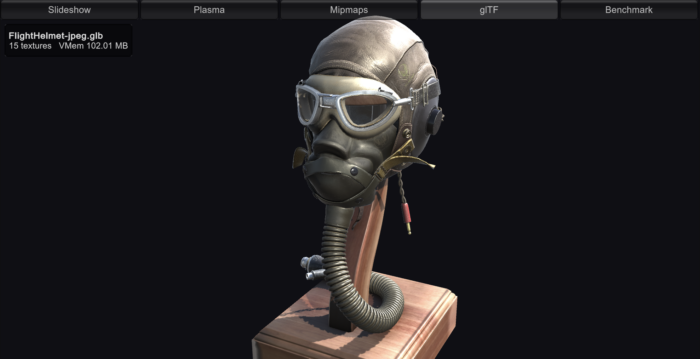
Full source code is in the GitHub repository.
How it Works
The basic technique behind GPU texture compression in Unity was demonstrated by Aras Pranckevičius in UnityGPUTexCompression: run the encoder in a compute shader, write the compressed blocks to a UINT RenderTexture, copy the RenderTexture into a Texture2D with the appropriate compressed format. Spark for Unity follows the same steps, with support for more platforms and texture formats, and wraps everything in a simple C# API.
The reason I hadn’t released a Unity integration before is that this approach requires the shaders to be distributed as source code. That’s fine for an open-source proof of concept, but not workable for Spark. Source code is only available to licensees.
The solution is to ship the shaders as pre-compiled HLSL header libraries. The pipeline is:
- Compile the codec shaders to a SPIR-V library with DXC.
- Process the SPIR-V with
spirv-optto optimize the code. - Use SPIRV-Cross to translate the SPIR-V library to a single-file HLSL header library.
You can drop the resulting .hlsl files into any Unity project and it just works. Unity translates the HLSL libraries to the appropriate native shader format for each target platform at build time, which is why the same library works across Vulkan, Metal, and Direct3D.
This pipeline required changes to DXC’s SPIR-V compiler and to SPIRV-Cross. Some of those changes are already upstream in the KhronosGroup/SPIRV-Cross repository; others are still under review but stable enough for production use.
Licensing
Spark for Unity is available under the same licensing terms as spark.js:
- Free for projects with lifetime revenue under $100,000.
- Indie ($1,000 one-time fee) for commercial projects with development budget under $1 million.
- Pro ($10,000 one-time fee) for projects beyond that.
All tiers include lifetime distribution rights. The C# code is released under the MIT license; the Spark shaders are covered by the Spark EULA.
This release relaxes the free tier from “non-commercial only” to projects under $100K in lifetime revenue. The change applies to spark.js as well. The two products now share the same terms.
Studios with custom pipeline requirements, console targets, source access, or production support needs can license the full Spark codec suite under an enterprise agreement. See the Spark licensing page for details.
Try it
Spark for Unity is on GitHub at github.com/ludicon/spark-unity. To install via Unity Package Manager, add this Git URL to your project’s manifest:
https://github.com/ludicon/spark-unity.git#v0.1.0The basic API is a single call:
Texture2D compressed = Spark.EncodeTexture(source, SparkFormat.RGB);For most use cases, that’s everything you need. The lower-level API exposes additional controls for advanced scenarios: batching multiple encodes, scheduling work on the async compute queue, updating individual mip levels or texture regions, and preallocating output textures to avoid per-frame allocations. See the README for more details.
If you want to see Spark for Unity running before integrating it, the demo app is available for iOS, Android, macOS, and Windows. It includes the scenes shown above.
What’s next?
The same pre-compiled HLSL libraries that power Spark for Unity are portable to other engines. Integrations for Unreal, Evergine, and others are within reach, and I’m interested in talking to anyone working in those ecosystems who’d want to collaborate.
Working through the Unity integration also surfaced a number of cases where Spark’s performance is gated by Unity’s compute shader infrastructure rather than by the codecs themselves. Some of these are addressable with source code access; others require changes in Unity. I’m hoping to work with the Unity team on the ones that need their attention, and I’ll write up the technical details in a future post.
Spark for Unity is available today on GitHub. If you’re building apps with user-generated content, procedural textures, virtual texturing systems, or simply need better runtime texture compression, give it a try and let me know how it works for your project.
If you’d like to talk in person, I’ll be at SIGGRAPH this summer.